Blackburr: A Bold Font for Web Design
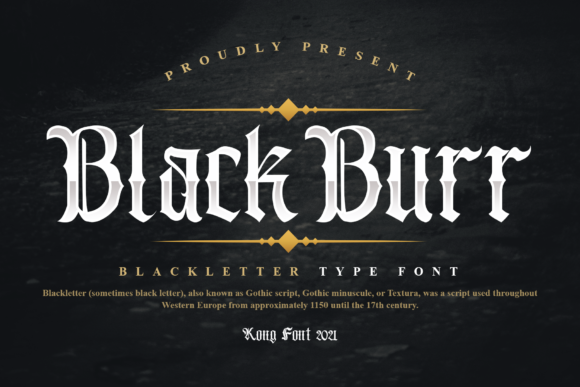
When I was redesigning a boutique online store, I needed a font that could stand out without overwhelming the design. Blackburr caught my eye. It's a vintage blackletter typeface with a strong personality, perfect for adding character to digital projects.
The first thing I did was test Blackburr in the hero section of the site. The bold strokes and dramatic contrast gave the headline a striking presence. It worked well against a background image, drawing attention without competing with the visuals.
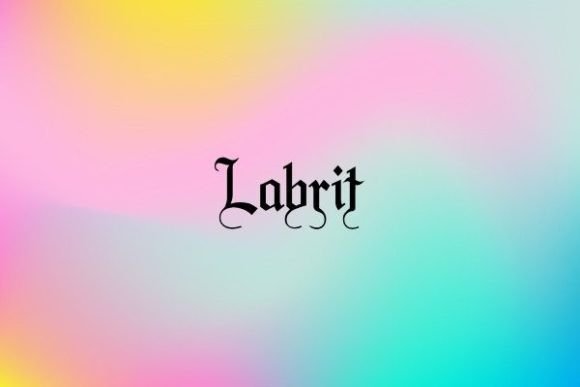
Blackburr has a unique visual style that feels both classic and modern. Its heavy lines and ornate details make it ideal for headers, logos, and decorative elements. But I also noticed that it can be tricky to read in long paragraphs. That’s why I decided to use it only for short phrases and headlines.
I checked how Blackburr performed on mobile screens. On smaller devices, the font still held up, but I had to adjust the size and spacing to ensure readability. It looked great on buttons and call-to-action areas, where its boldness helped guide user interaction.
One of the things I appreciated about Blackburr is its versatility. It can work in different contexts, from a creative portfolio to a coaching website. For a product landing page, I used it for the main title and paired it with a clean sans serif for body text. The contrast made the layout feel balanced and professional.
When using Blackburr in web design, it's important to consider the overall visual hierarchy. It's best suited for headings, section titles, and decorative accents rather than body copy. I found that using it sparingly helped maintain a polished look while keeping the design accessible.
For a blog redesign, I used Blackburr in the header and featured posts. It added a touch of elegance without being too distracting. I also experimented with it on social media graphics and promotional banners, where its strong presence made the content more engaging.
Blackburr is part of the Freebies category, which makes it an attractive option for designers looking for high-quality fonts without the cost. It's available in various file formats, making it easy to integrate into different design tools like Photoshop and Silhouette Design Studio.
Before using Blackburr on a client project, I always check the licensing terms. It's important to make sure the font is suitable for commercial use, especially if it's going to be part of a brand identity or online store. The font includes multiple weights and alternates, which gives more flexibility in design choices.
For a digital brand kit, I paired Blackburr with a simple serif font for body text. This combination created a cohesive look that felt both modern and timeless. It also helped improve readability while maintaining the font's distinctive style.
Another consideration when using Blackburr is multilingual support. While it works well for English text, I made sure to check if it supports other languages that might be relevant to the project. This is especially important for global brands or websites targeting diverse audiences.
When designing for dark backgrounds, I found that Blackburr retained its clarity and didn’t lose its impact. On light backgrounds, it provided a nice contrast that made the text stand out. I also tested it over image overlays and found that it maintained good legibility without blending into the background.
For a course sales page, I used Blackburr in the headline and key benefits section. Its bold style helped emphasize the value of the course while keeping the design visually appealing. It also worked well in button text, where its strength encouraged user engagement.
Overall, Blackburr is a powerful tool for web designers looking to add a vintage flair to their projects. Its unique characteristics make it stand out, but it requires careful use to maintain readability and usability. Whether you're working on a portfolio site, an online store, or a campaign landing page, Blackburr can help create a memorable brand experience.
As a designer, I appreciate fonts that offer both style and function. Blackburr delivers on both fronts, making it a valuable addition to any digital design toolkit. With the right approach, it can elevate a website's aesthetic while supporting a clear and effective user experience.